
A broken HP EliteBook hits the bench. You pop the bottom cover, pull the RAM, and stop. You have this exact module on the shelf already — pulled from a Lenovo you parted out in March. Same DDR3-1600, same voltage, same spec. Your catalog should know that. Most of them don’t.
That gap is what most parts software gets wrong. The catalogs you can buy don’t cover the work you actually do. The cross-references that matter — the ones your buyers search for, the ones that tell you what’s already on the shelf — live in your head. PMP is where you put them down so they stop living only there.
Why you don’t have a catalog yet
You probably don’t have a parts catalog yet. Not because the knowledge isn’t there — you’ve got years of it — but because the catalogs you can buy are built around someone else’s work, not yours.
The data companies that sell compatibility feeds build them where the volume is: late-model cars, current trucks, the work where the math pays off for them. The rest doesn’t get covered. A little, sometimes. Mostly nothing.
Industries those data companies don’t bother with:
- Salvaged computer parts — laptops, towers, servers. Almost nothing worth paying for.
- Appliance repair parts — washers, dryers, ranges, fridges. A little on what’s still being made. Nothing on the older models that actually walk through your door.
- Vintage electronics — receivers, amps, tube radios, classic computing. Nobody’s covered it at any depth.
- Agricultural and industrial equipment — tractors, implements, small engines, pumps, motors, compressors. A bit on the biggest brands. The rest is on you.
- Marine, RC, musical instruments, restaurant equipment, and the rest — same story.
If you work in any of these, you already know what this looks like. The cross-references that matter to your shelves aren’t in any database. They’re in your head, in your notebook, and in the parts of your spreadsheet only you can read.
PMP is the tool that lets you organize what you already know and turn it into a reliable record — one that’s searchable, attributable to the teardown it came from, and connected to the parts on your shelves.
Your catalog knows things a database can’t
The DDR3-1600 SODIMM you pulled from the EliteBook. You know — because you’ve torn down hundreds of machines — that the same module also fits:
- The Lenovo ThinkPad T430 series
- The Dell Latitude E6430 generation
- A stack of OptiPlex 7010s with the right SODIMM slot
- A handful of mid-2010s small-form-factor desktops
A licensed database can tell you “DDR3-1600 SODIMM, 1.5V, 204-pin.” That’s the spec sheet. It will not tell you the seven specific machines you’ve personally pulled this exact module out of and verified the fitment on.
That difference matters for three reasons:
- Your buyer is searching for their machine, not the spec. They type “RAM for ThinkPad T430.” They do not type “DDR3-1600 1.5V 204-pin SODIMM.”
- Your shelf has the part already pulled, labeled, and ready to ship. The catalog tells you which listing to point at the buyer’s search.
- You’ve already verified fitment in the real world. That is harder than spec-matching. The catalog turns that verification into a recorded relationship instead of a memory.
Same with appliances. The control board in a Whirlpool washer of a certain era also fits two Maytag models. Same with vintage audio. The transformer in a Marantz receiver fits two adjacent product lines. Same with industrial pumps. The control valve on one model fits a competitor’s from the same generation.
You know the fitment. The database doesn’t. The catalog is where it gets written down.
What this looks like in PMP
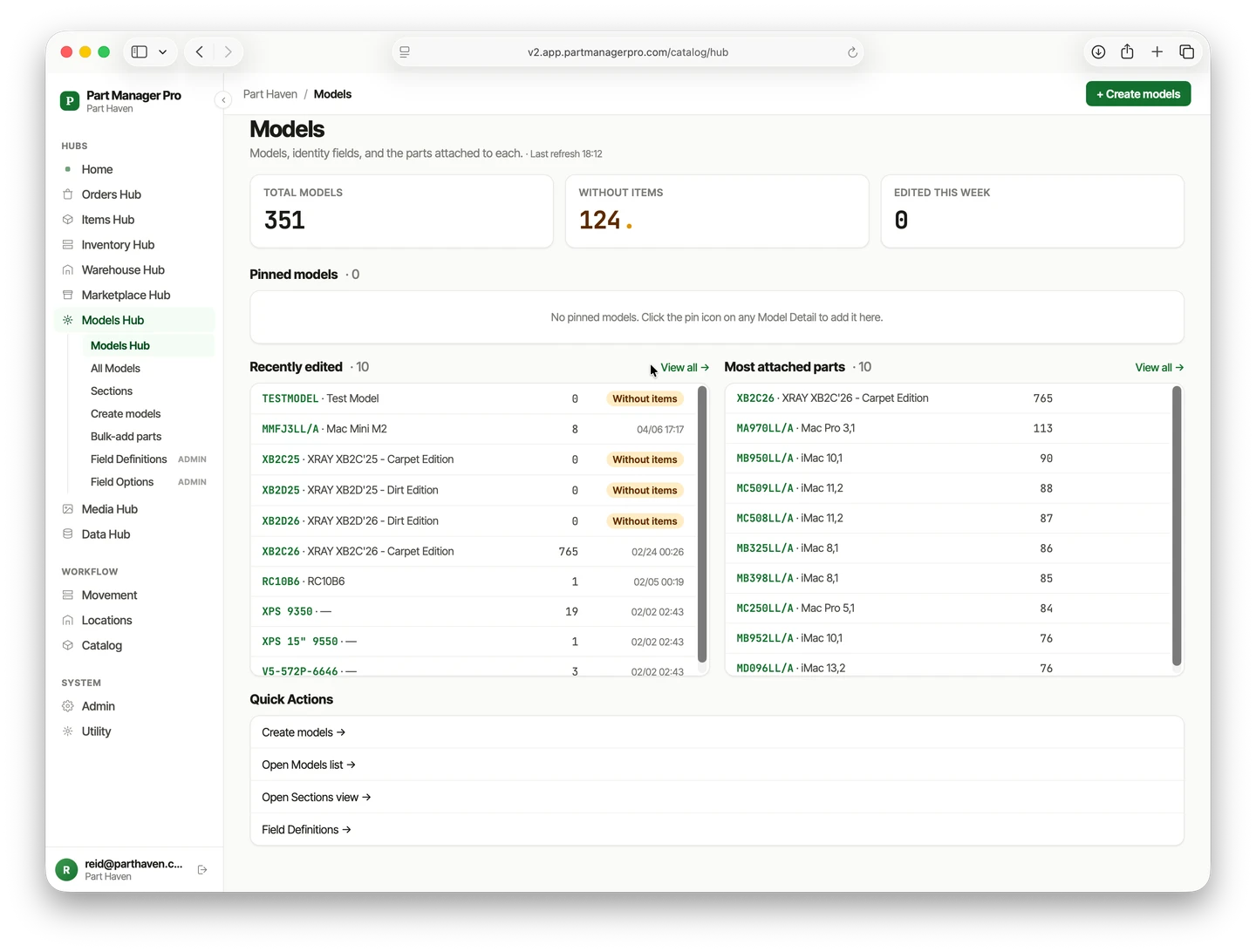
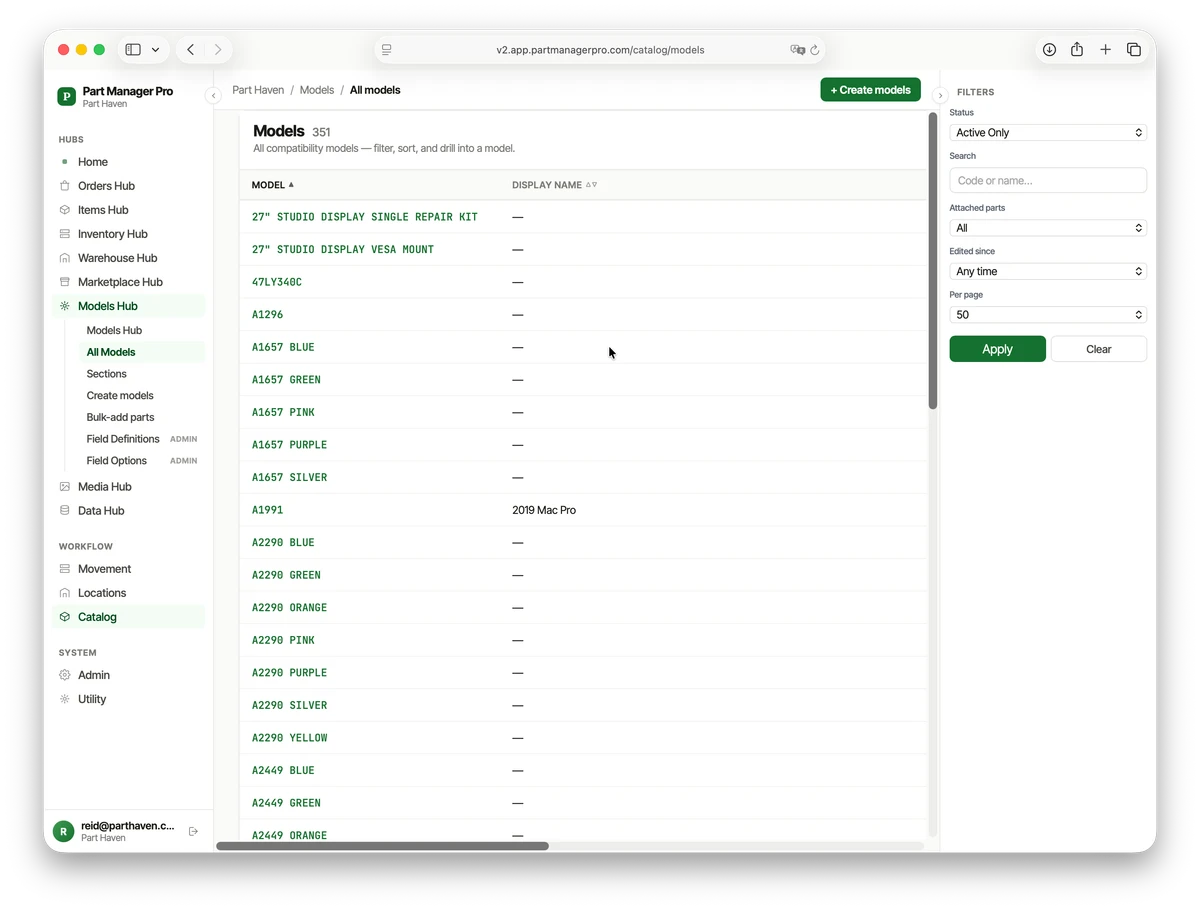
The catalog lives in the Models Hub. A model is the unit you tear down — a machine, an appliance, a board — and every part you pull from it gets attached to it. Build that once and the relationships are yours for good.
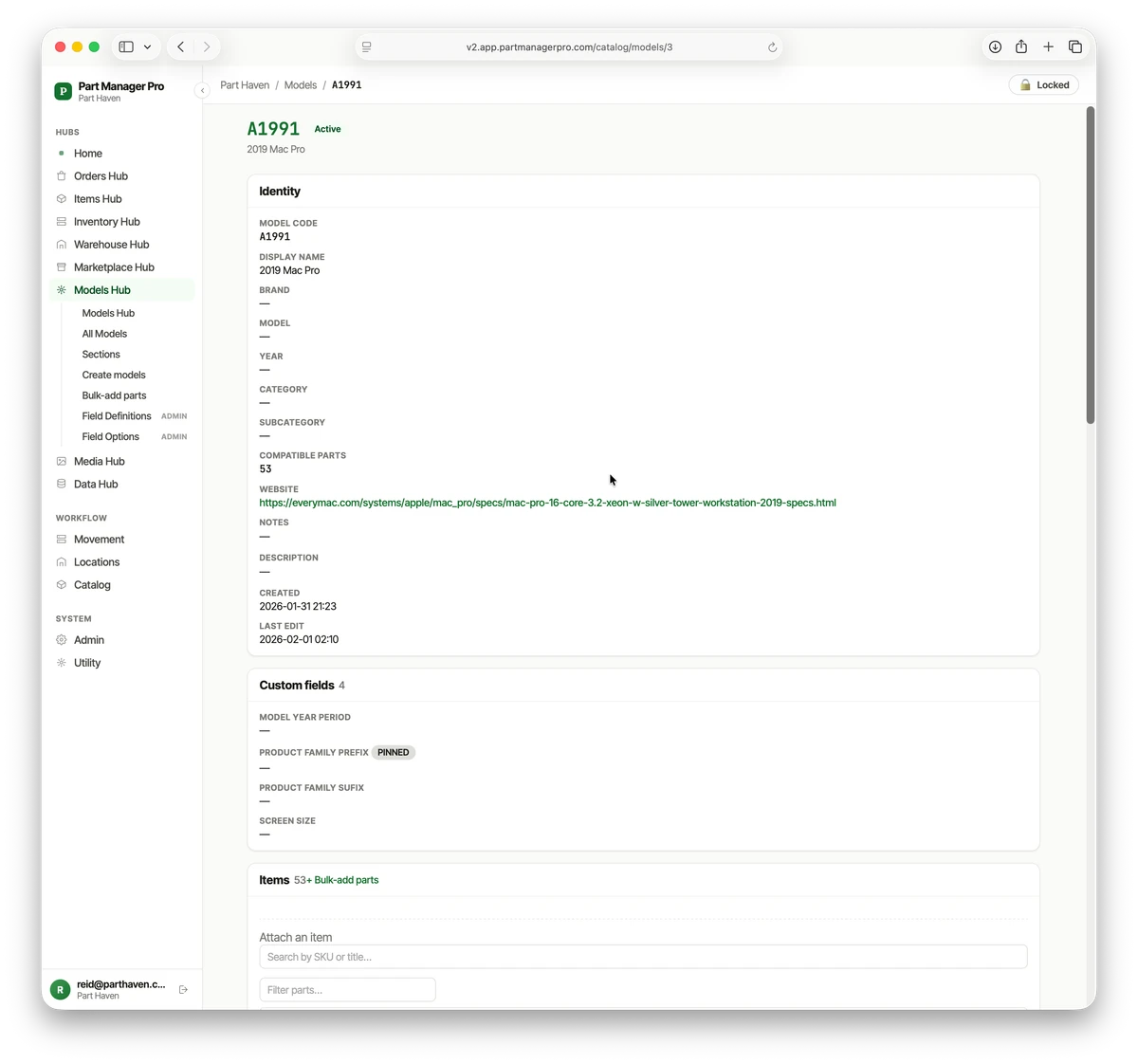
Open a model and see every part that fits
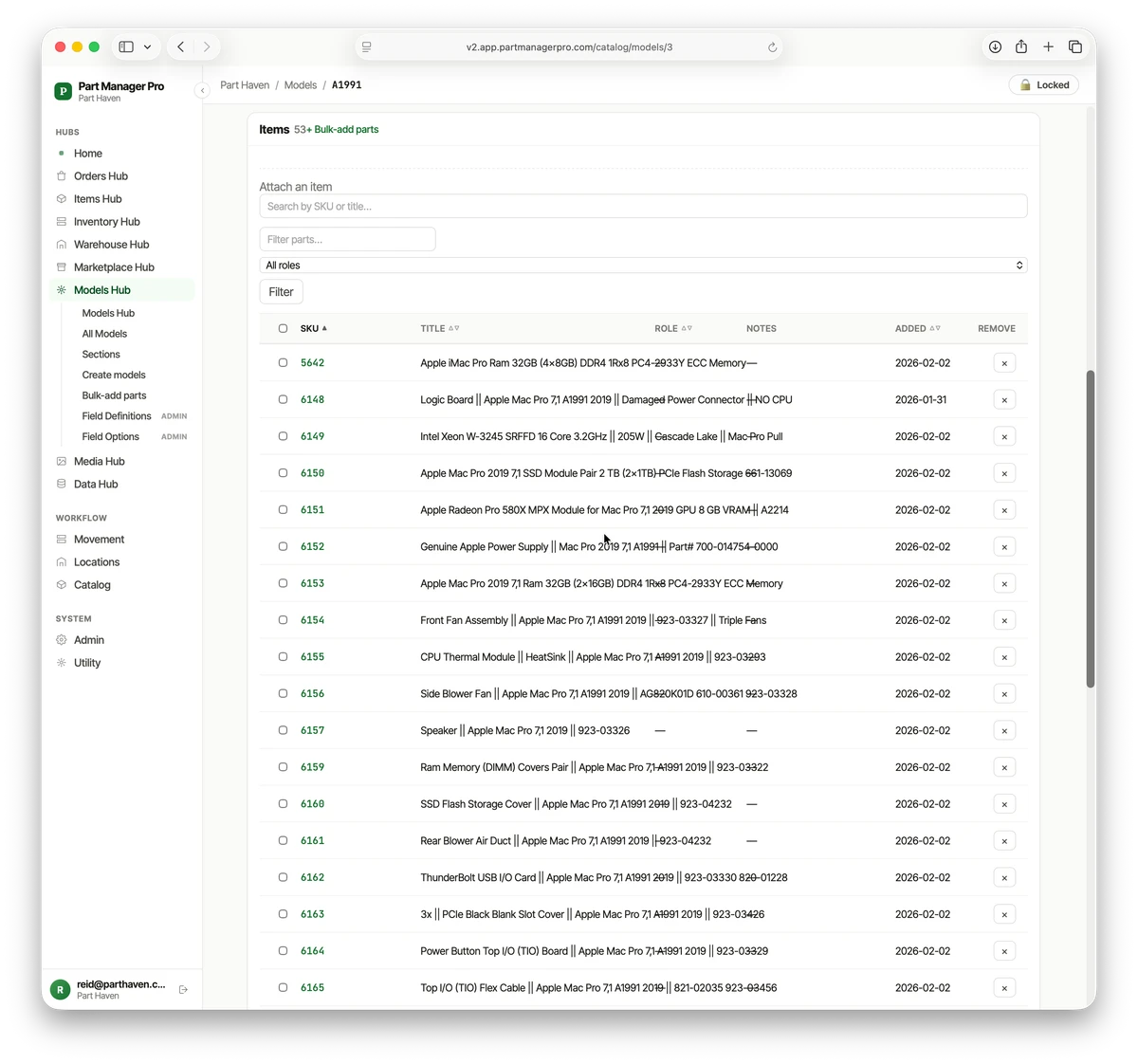
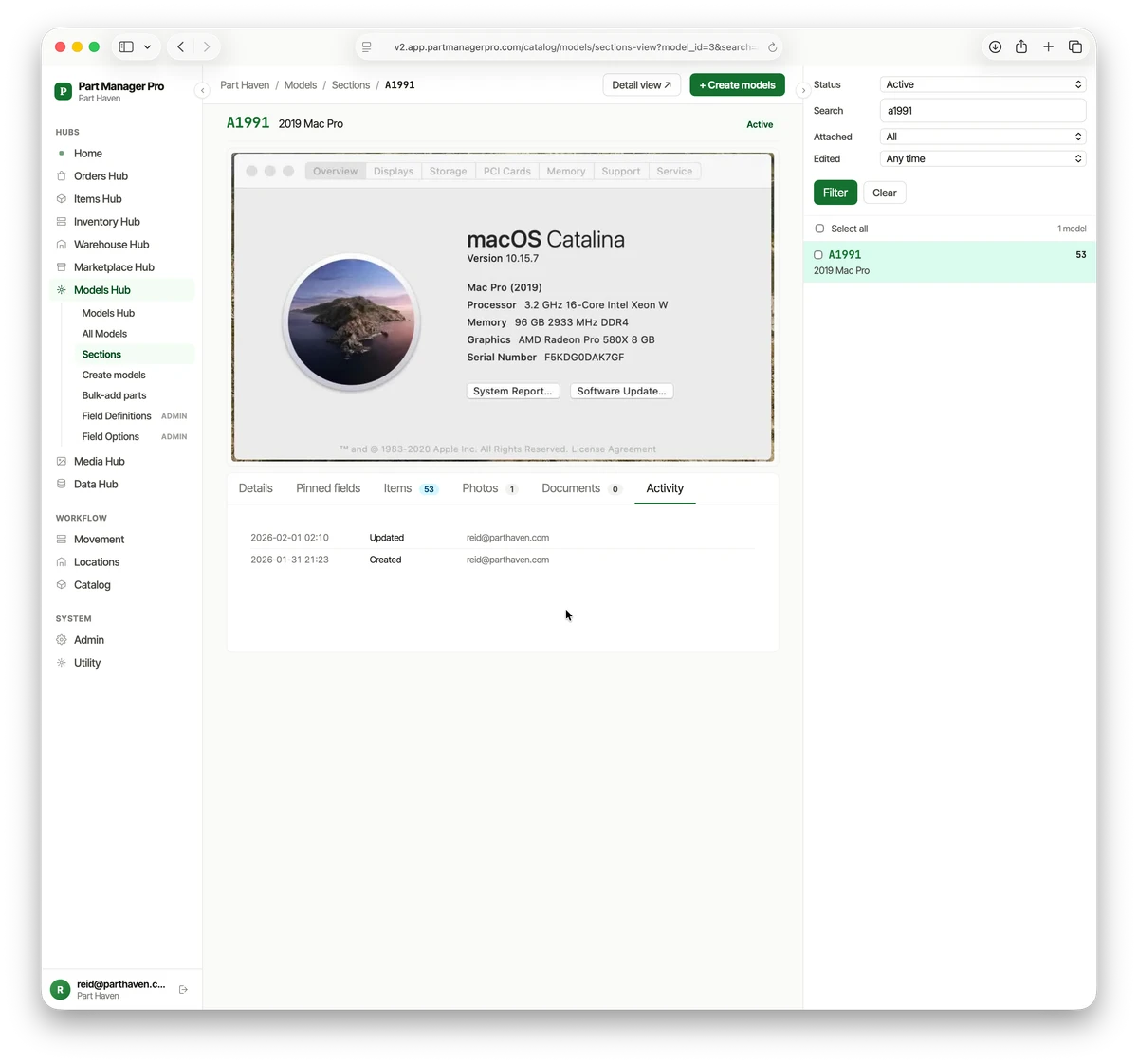
Each model record holds its identity (code, brand, year, your own custom fields) and the full list of parts attached to it. That parts list is your cross-reference: the EliteBook’s RAM, the Mac Pro’s 53 compatible parts, every component you’ve confirmed and listed.
Add models by hand or from a CSV
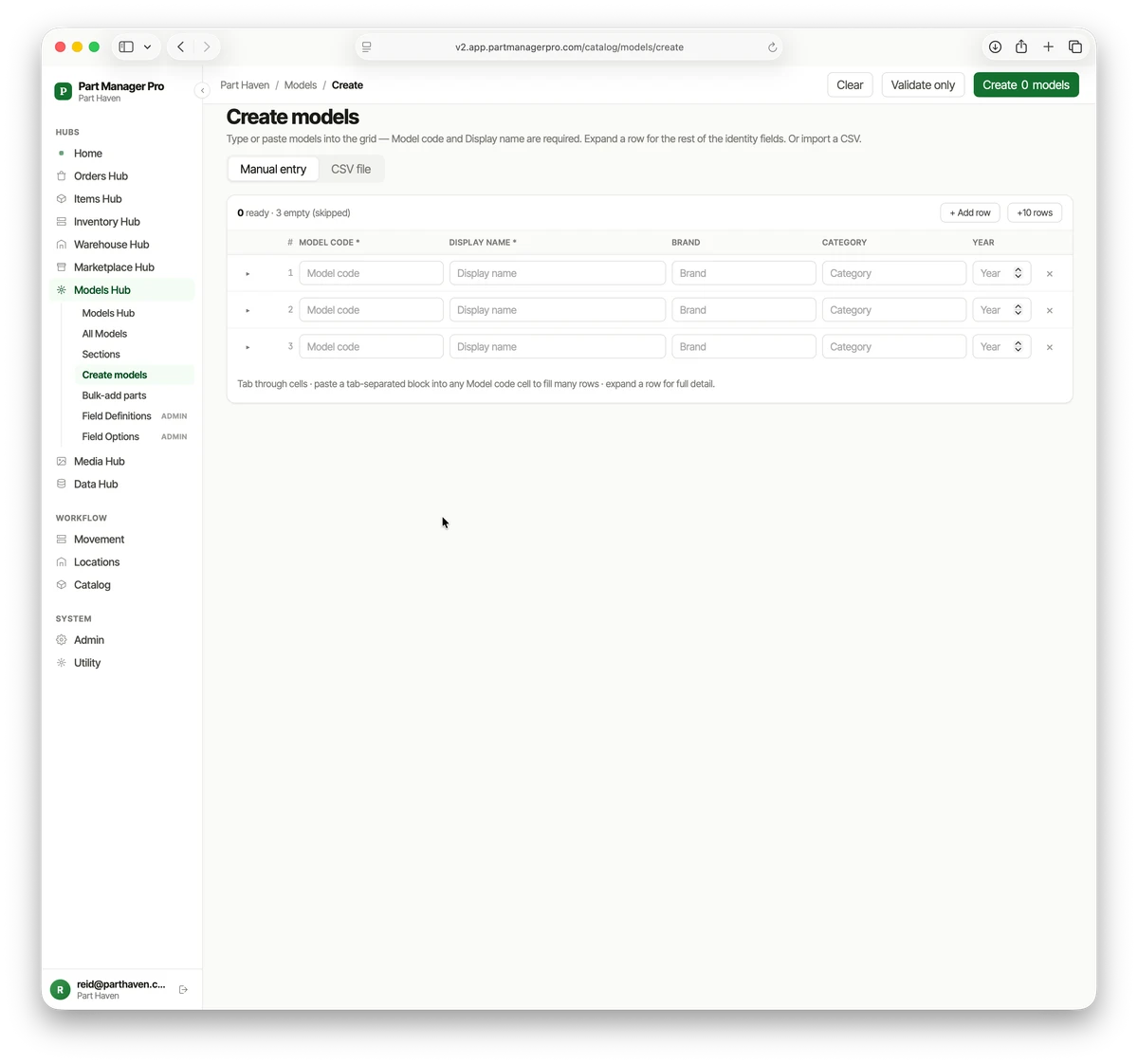
Type or paste models into a grid — model code and display name are all that’s required to start, with room for brand, category, year, and notes. Bringing a spreadsheet of models you’ve already tracked? Import the CSV and they’re in.
Attach parts in bulk
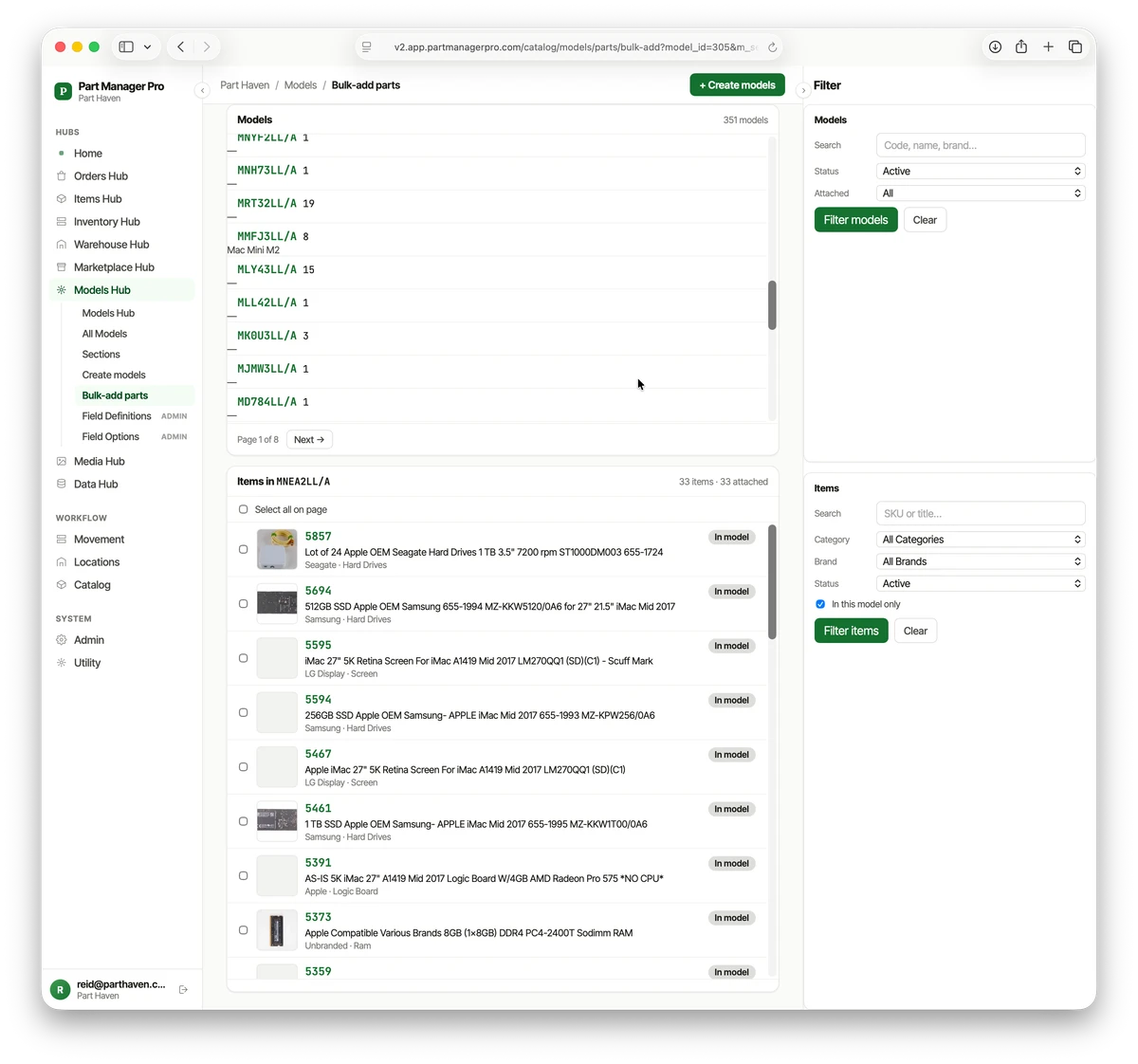
When a unit comes in for teardown and you pull twenty parts off it, you don’t enter them one at a time. Bulk-add attaches many parts to a model in one pass.
A catalog shaped to your work
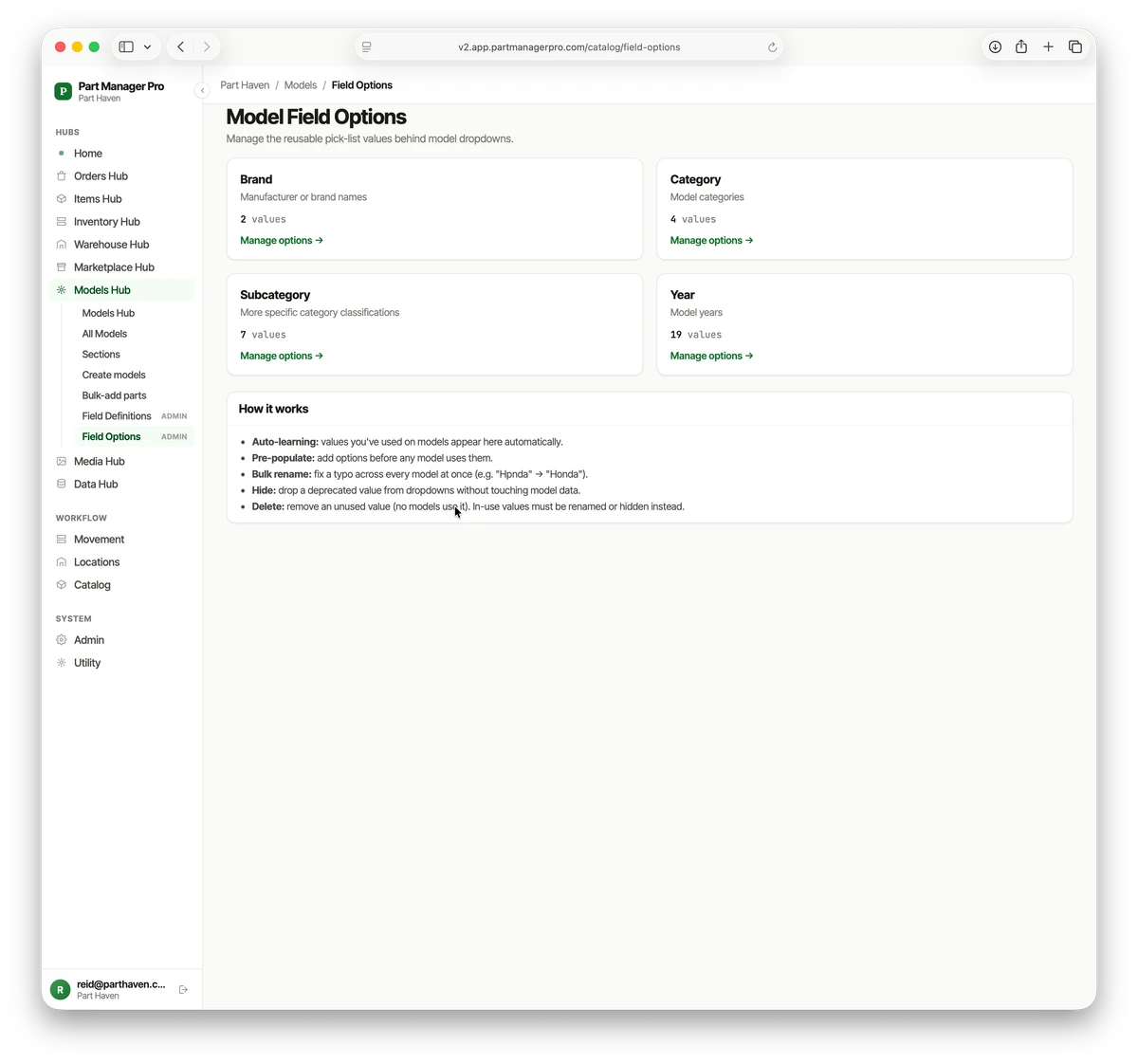
The fields and dropdown values are yours to define. Add the fields your industry needs, pin the ones you want on every card, and PMP learns the dropdown values as you use them — so “MacBook Pro” or “Mercury outboard” is there next time without retyping it.
Photos, documents, and a full history on every model
Every model carries its own photos, documents, and an activity log — who changed what, and when. The same accountability PMP keeps for inventory, kept for your catalog.
Month one vs month twelve
Month one of building a catalog, you’ve torn down five units. You have five units, twenty parts, maybe two cross-references. The catalog is a curiosity.
Month twelve, you’ve torn down a couple hundred units. You have hundreds of cross-references — every one of them recorded by you, on a real teardown, from a real part. When a 2014 ThinkPad comes through the door now, you do not research compatibility. The catalog already knows. Pricing is faster. Picking is faster. Listing is faster.
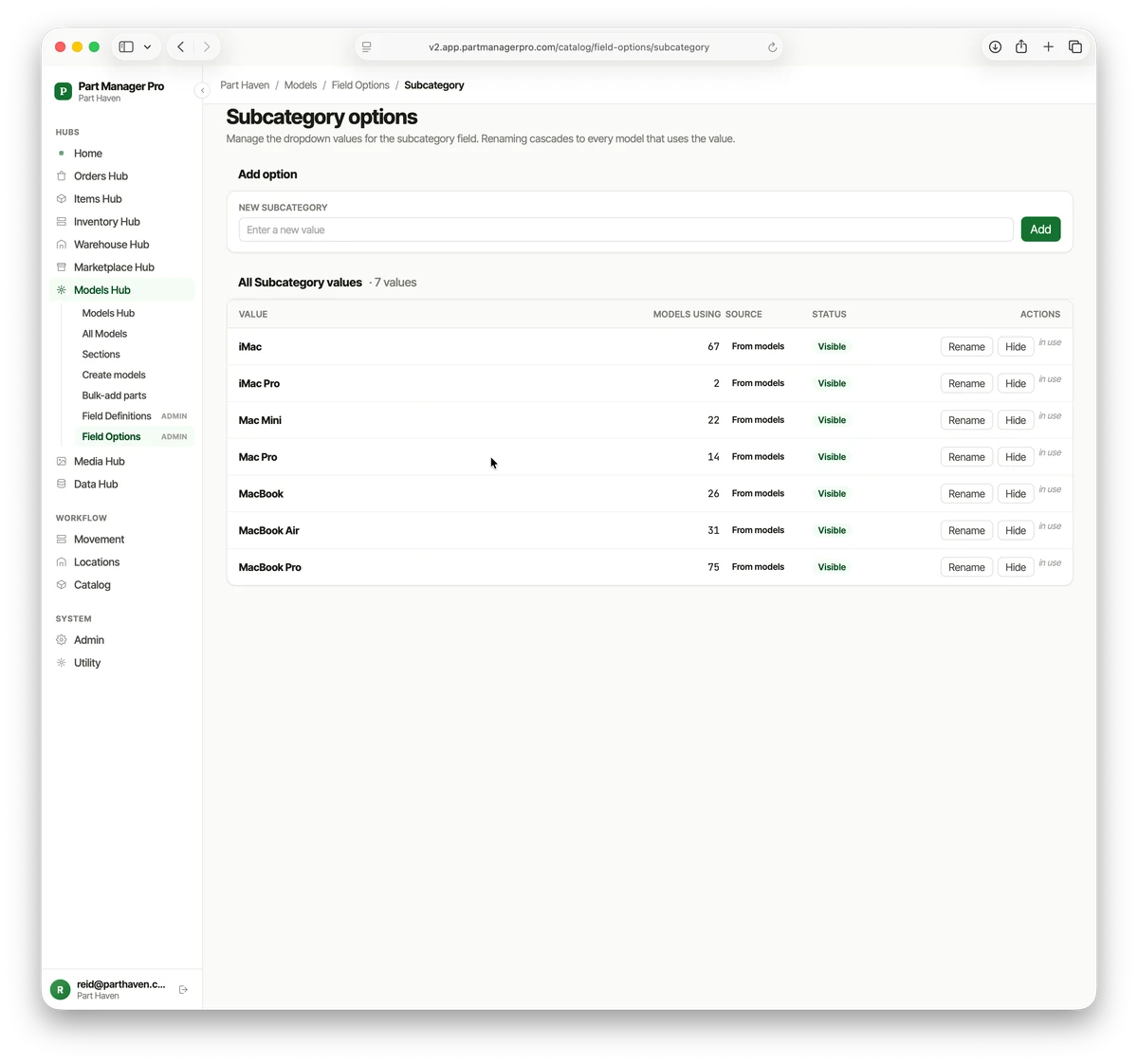
Month twenty-four, the catalog has more cross-references than you can count. It knows your work, your shelves, your buyers. Walking away means starting over from zero — two years of teardowns gone. A bin count is worth the same whether you’ve recorded one of them or a thousand. A cross-reference gets more valuable the more of them you have, because every new one connects to every old one.
That’s why a parts business with its own catalog stops needing someone else’s part feed. Not because the licensed data is incorrect. Because what you’ve built fits your work, what you know, what you’ve verified — and every teardown adds to your knowledge base, making Part Manager Pro more useful every day.
The cost is real. Recording cross-references during teardown takes a few extra minutes per unit, and the payoff isn’t visible until month three or four. You do it anyway because you know the alternative — re-researching the same cross-reference six months later when a buyer searches for it — is the more expensive option.
The catalog you build is what you know and what you've verified, written down — and every teardown you add makes it worth more, not just bigger.
Your knowledge, our documentation tool
PMP doesn’t care whether you tear down EliteBooks, washing machines, Marantz receivers, or industrial pumps. It knows a part fits one or more units, because you told it which ones. The cross-references live with you because you’re the one pulling parts. PMP is just the place to put them.
The knowledge is yours. You bring it. PMP is where you organize it and turn it into a reliable record — one that’s searchable, tied to the teardown it came from, and connected to the parts sitting on your shelves. Every confirmed pick and every change is recorded, the same way PMP keeps your audit trail for inventory.
That’s why your catalog beats the bought ones for your work. Bought catalogs serve buyers who’ll go anywhere. Yours serves the ones who came looking for you.
The bottom line
You already have a catalog. It lives in your head, in your notebook, and in the parts of your spreadsheet that only you can read. PMP is the place to write it down so it stops living in any of those.
The catalog you build is yours. It’s specific to your work, your shelves, and your buyers. It compounds on every teardown. And it stays with you whether you keep growing the operation or hand it off in ten years.
That’s the catalog you’ve had all along — finally written down where it pays you back.
- The compatibility feeds you can buy cover late-model vehicles; the rest of the parts world isn’t in any database.
- The cross-references that matter live in your head — PMP is where you write them down and make them searchable.
- A model record holds every part you’ve confirmed fits it, tied back to the teardown it came from.
- The catalog compounds: every new cross-reference connects to every old one, so it’s worth more the longer you build it.
- Build it from your own teardowns and it fits your work better than any catalog you could license.
If the cross-references already live in your head, the next move is putting them somewhere they pay you back. Here’s where to go next:
→ See how the full system fits together: Product Overview → Watch the catalog connect to the floor: Scanner-First Picking → Have a question about how this would work for your business? Let’s talk
See PMP in your operation.
The fastest way to know if PMP fits your shop is to see the workflow with your own data — no slides, no scripted demo.